The YTMP4 extension puts a purple Download button right under every YouTube video, next to the Subscribe button. Press it and the video opens on ytmp4.store, ready to save as MP4 in 1080p, 720p, 480p or 360p, or as MP3 audio. No copying links, no switching tabs by hand.
Download the YTMP4 extension (.zip, 15 KB)
What the extension does
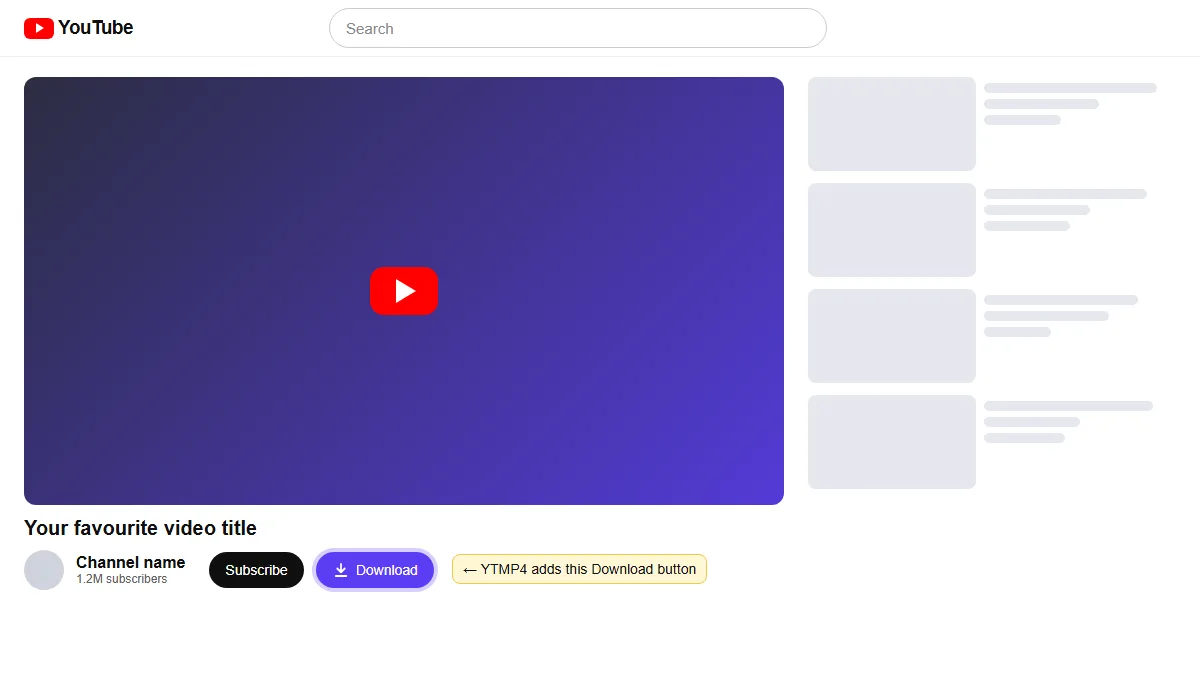
- Adds a Download button on every YouTube watch page, next to Subscribe.
- Adds a floating Download button on YouTube Shorts.
- Adds a YTMP4 icon to your toolbar: click it on any video to open that video on ytmp4.store.
- Opens the download in a new tab, so the video you’re watching keeps playing.
It’s a small extension with no tracking and no settings to fiddle with. The only permission it uses is to read the address of the YouTube tab when you click its icon.
How to install the YTMP4 extension
Google doesn’t list YouTube downloaders in the Chrome Web Store, so you install it yourself. It takes about a minute.
- Download the .zip file using the link above.
- Unzip it. You’ll get a folder called ytmp4-extension.
- Open chrome://extensions in the address bar (in Edge, edge://extensions).
- Turn on Developer mode in the top right corner.
- Click Load unpacked and select the ytmp4-extension folder.
- Open any YouTube video. The purple Download button is now next to Subscribe.
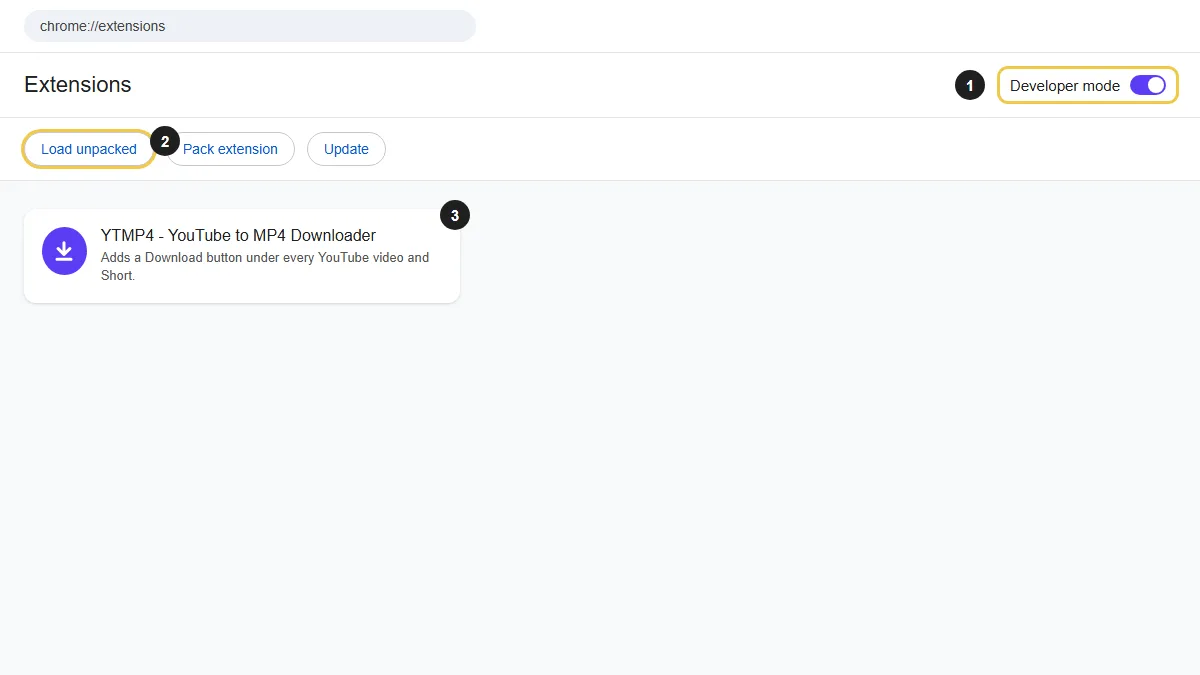
Keep the unzipped folder where it is. Chrome loads the extension from that folder, so if you delete it, the extension stops working.
How to download a video with the extension
- Open a YouTube video or Short.
- Click Download under the video.
- A new ytmp4.store tab opens and reads the video.
- Pick an MP4 quality or MP3 and save the file.
Files go to your browser’s Downloads folder, the same as any other download.
If the button doesn’t show
- Reload the YouTube tab once after installing.
- Check the extension is switched on in chrome://extensions.
- Make sure you selected the folder that contains manifest.json, not the .zip file itself.
- Still nothing? Click the YTMP4 icon in your toolbar while the video is open. It does the same job as the button.
On a phone?
Mobile browsers don’t run extensions. On Android or iPhone, copy the video link from YouTube’s Share menu and paste it into the box at the top of this page.
Please only download videos you own or have permission to save.